 iPhone · iOS 26 or later
Smart alarm and sleep tracker
Coming to the App Store
Gentlewake
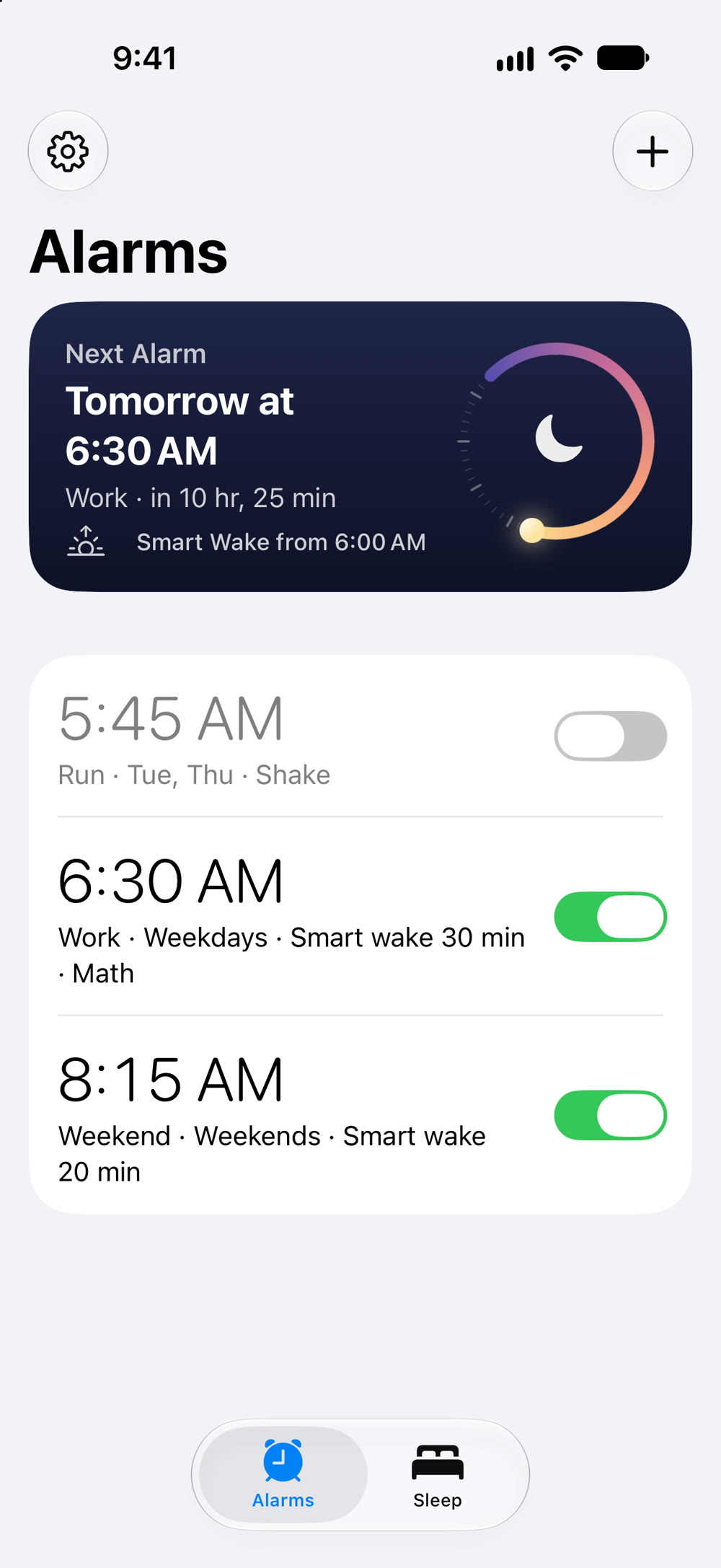
A softer alarm that still gets you out of bed. It starts quietly, can wake you a little early while you're sleeping lightly, and always rings. One price, no subscription.
- Free
- 2 alarms
- Unlimited
- $4.99 once
- Data collected
- None
Why Gentlewake
- Pay once. Every feature is in the free version, with 2 alarms and your last 7 nights of sleep. Unlock the rest once, for your whole family. No subscription, no ads, no account, and nothing you paid for is ever taken away.
- It always rings. Gentlewake uses iPhone's own alarm system, so your alarm goes off on silent, in Do Not Disturb, and with the app closed. Gentlewake doesn't run in the background to make that happen, so it doesn't drain your battery.
- It starts soft. Gentlewake's sounds are real recordings, a music box, wind chimes, a singing bowl and a thumb piano, that begin quietly and slowly get louder, so you ease awake instead of jolting up. Or use a sound file of your own.
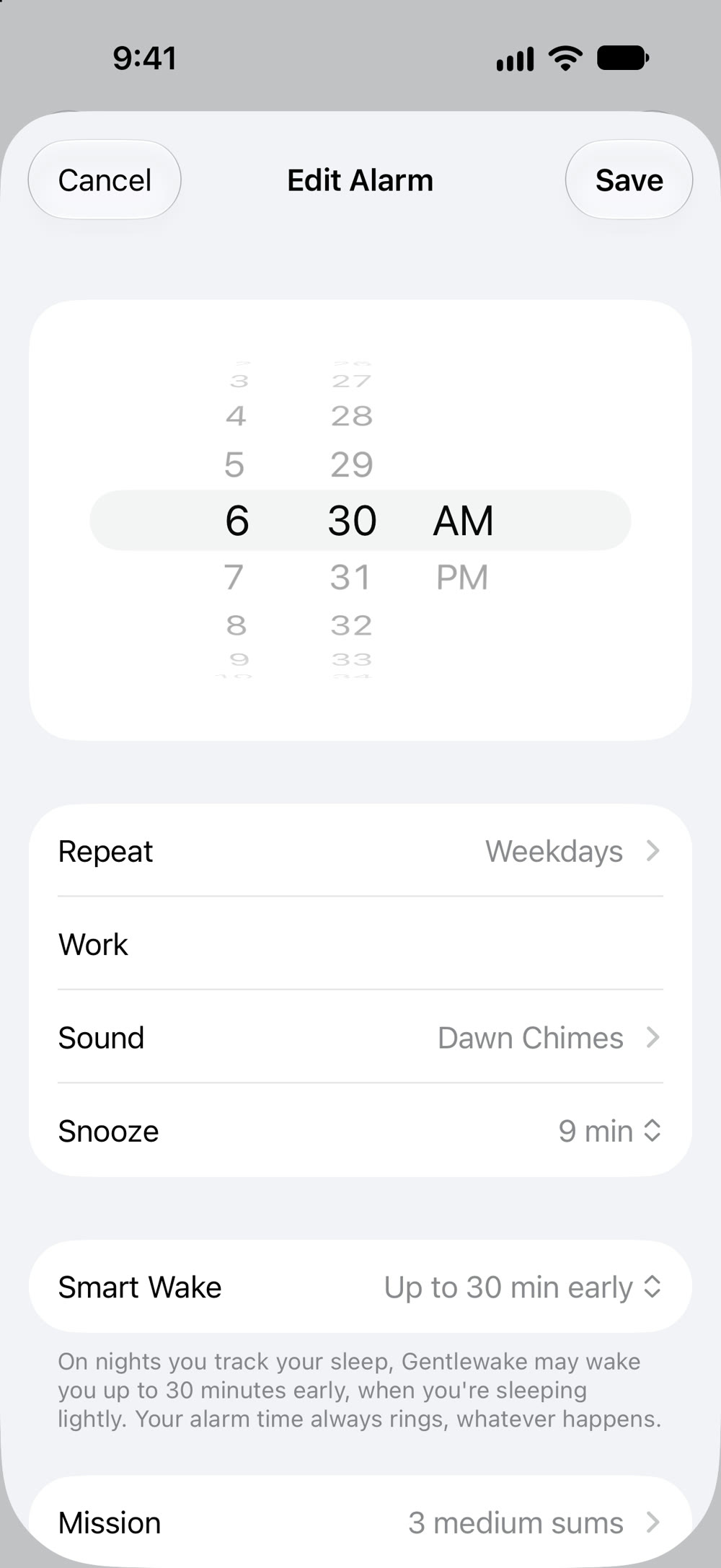
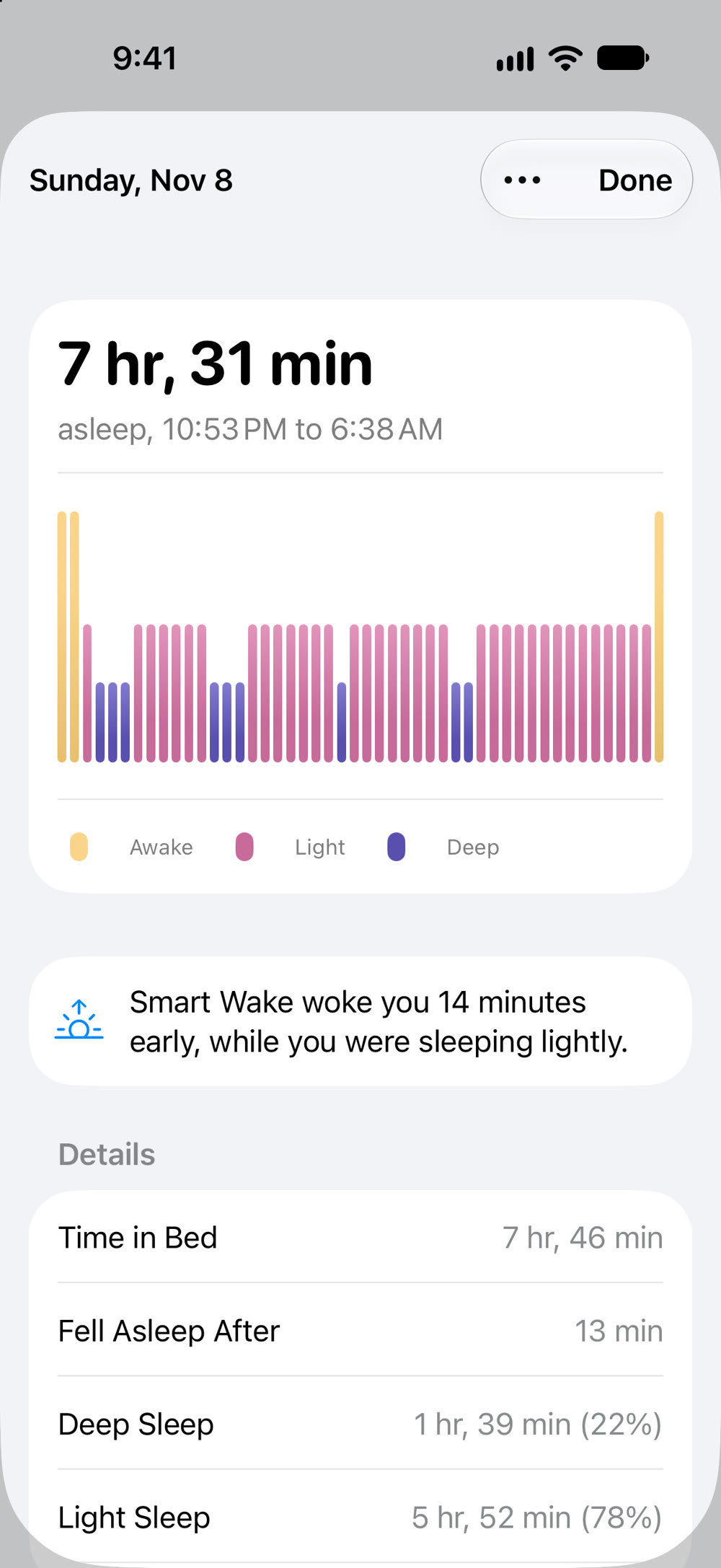
- Better timing. Track your sleep and Smart Wake can wake you up to 45 minutes early, at a moment you're sleeping lightly. If that moment never comes, your alarm rings at its time as usual.
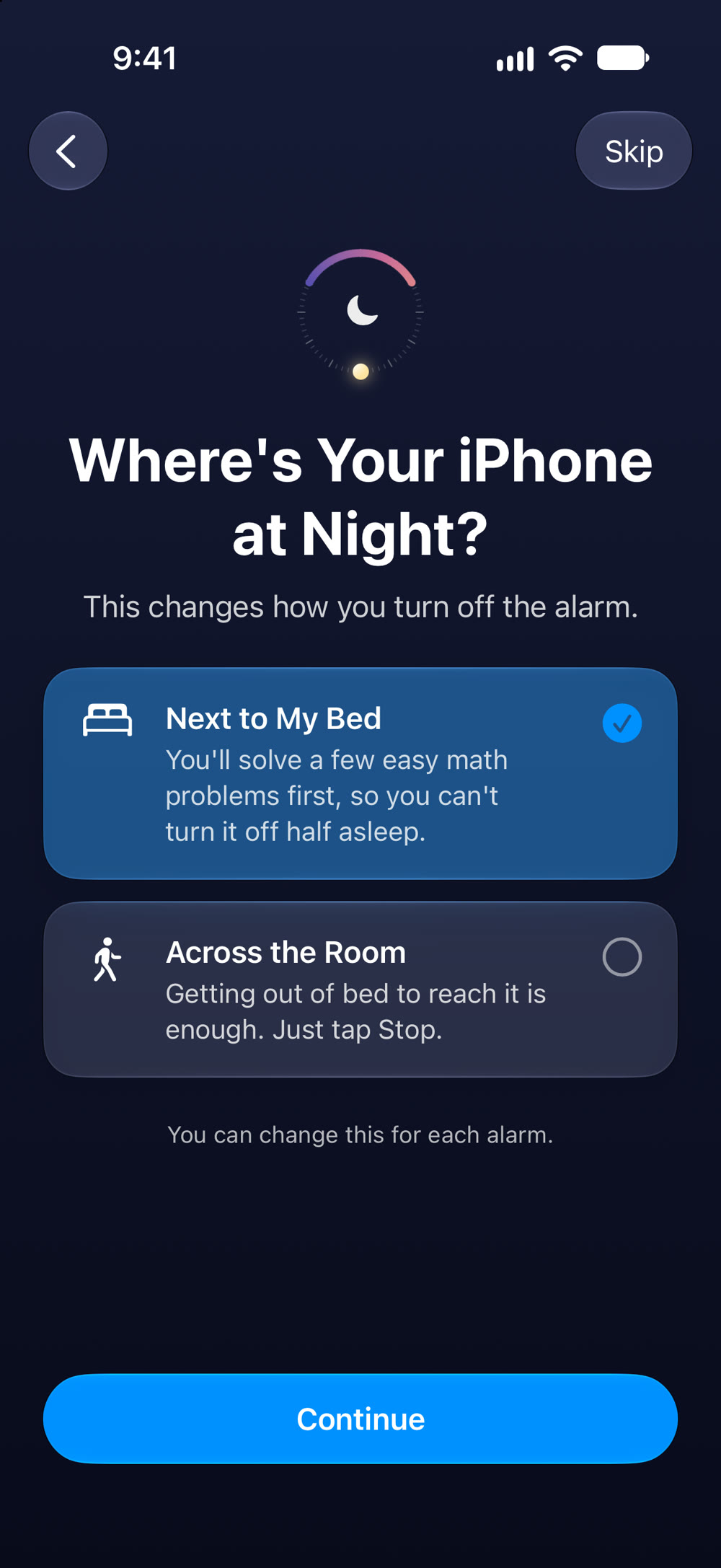
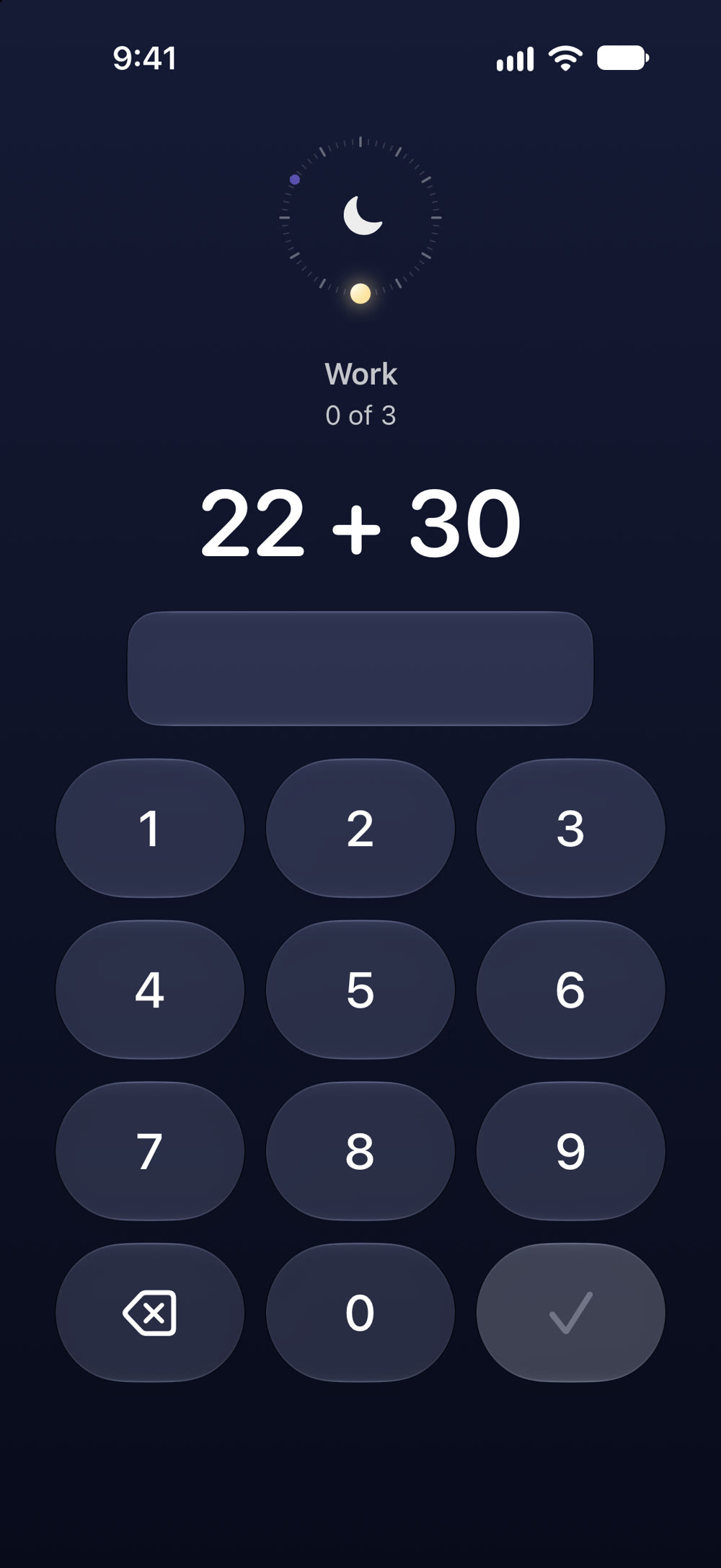
- Turn it off your way. iPhone across the room? Getting up to reach it is enough. Next to your bed? Solve a few easy math problems or shake your iPhone first, so you can't switch it off half asleep. You choose for each alarm.
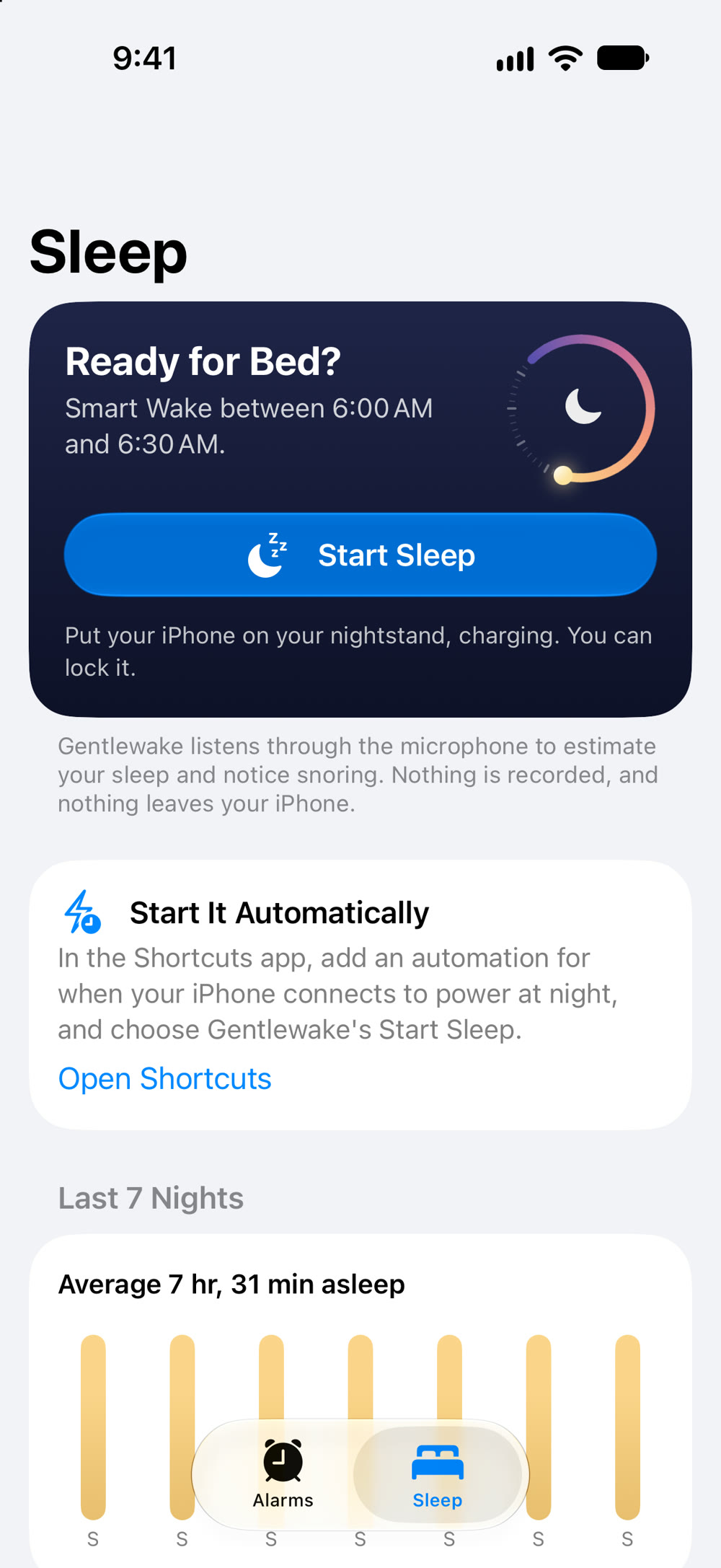
- Private by design. Sleep tracking listens through the microphone on your iPhone. Nothing is recorded, and nothing leaves your iPhone.
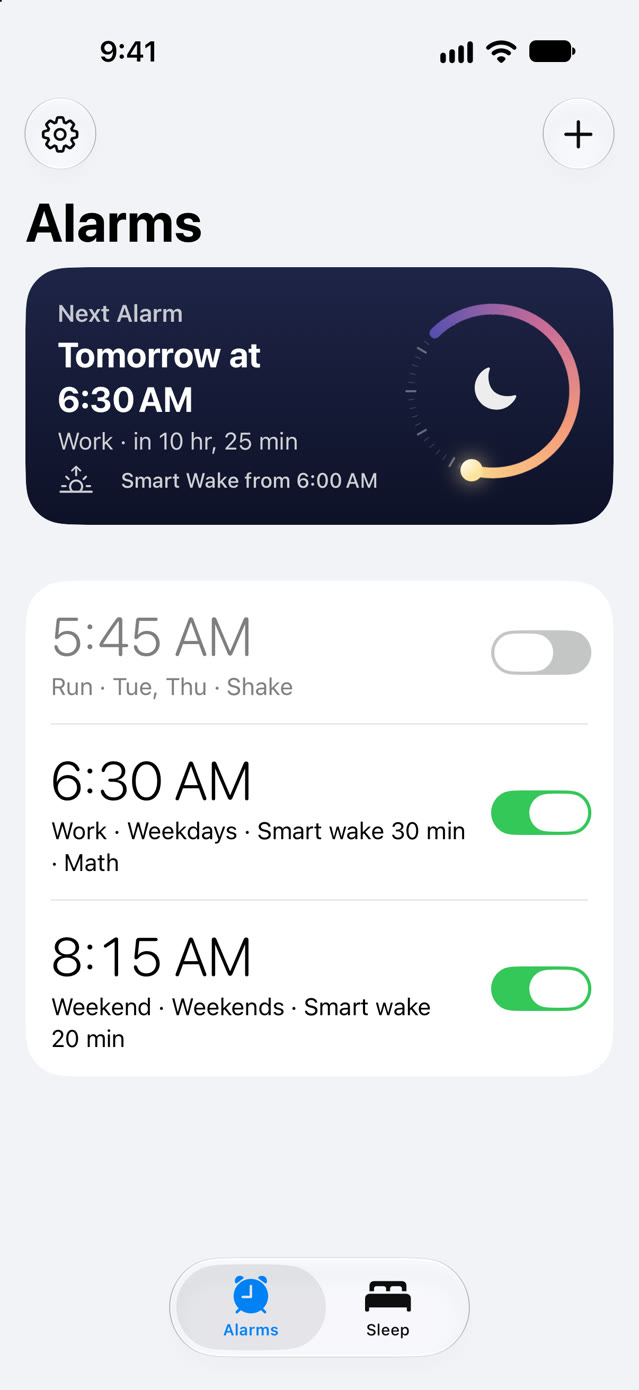
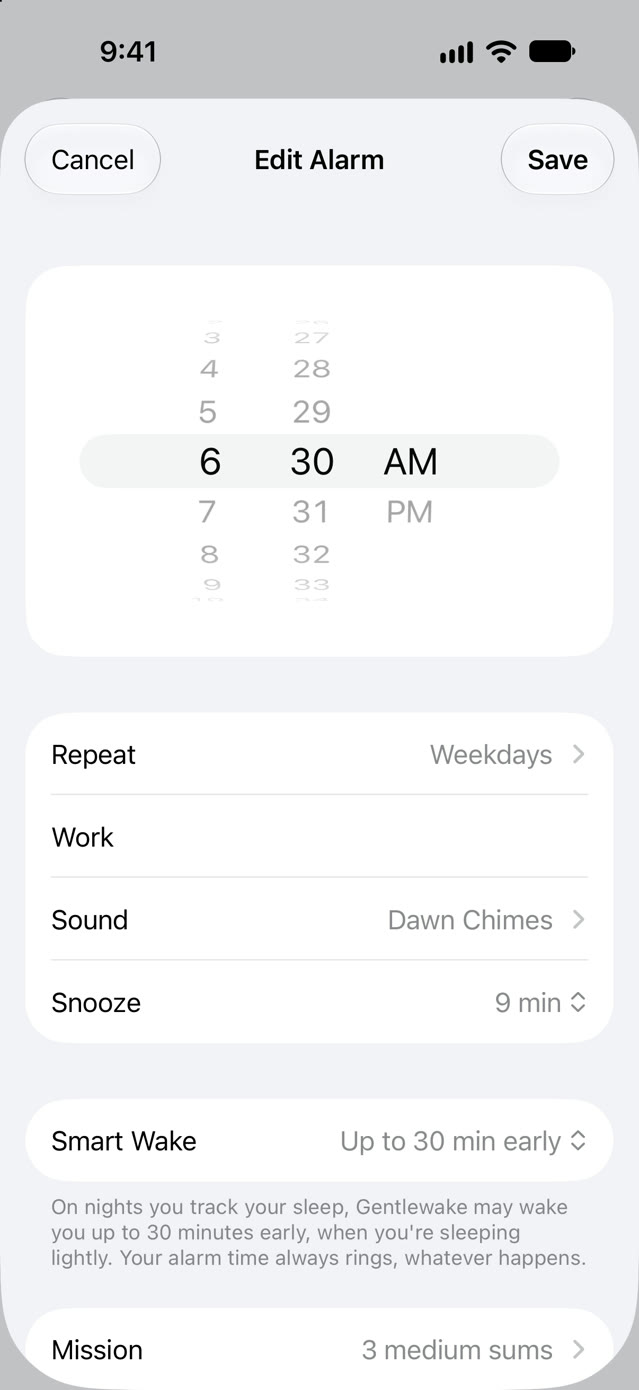
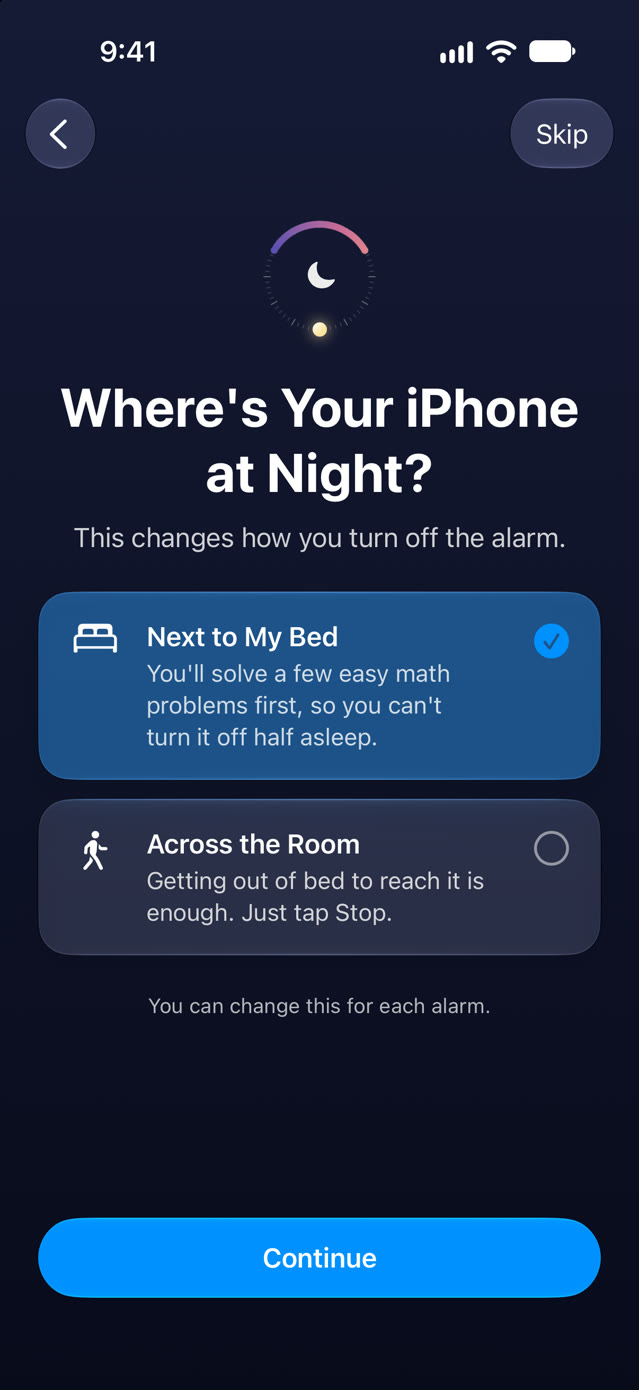
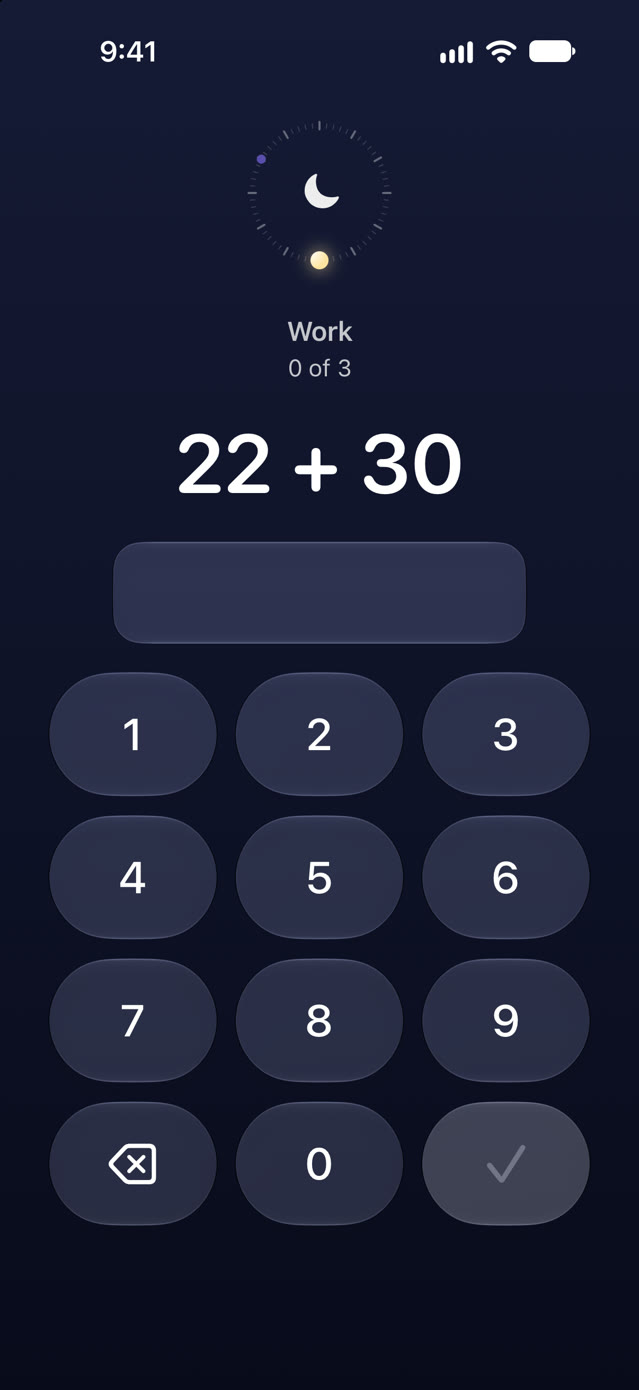
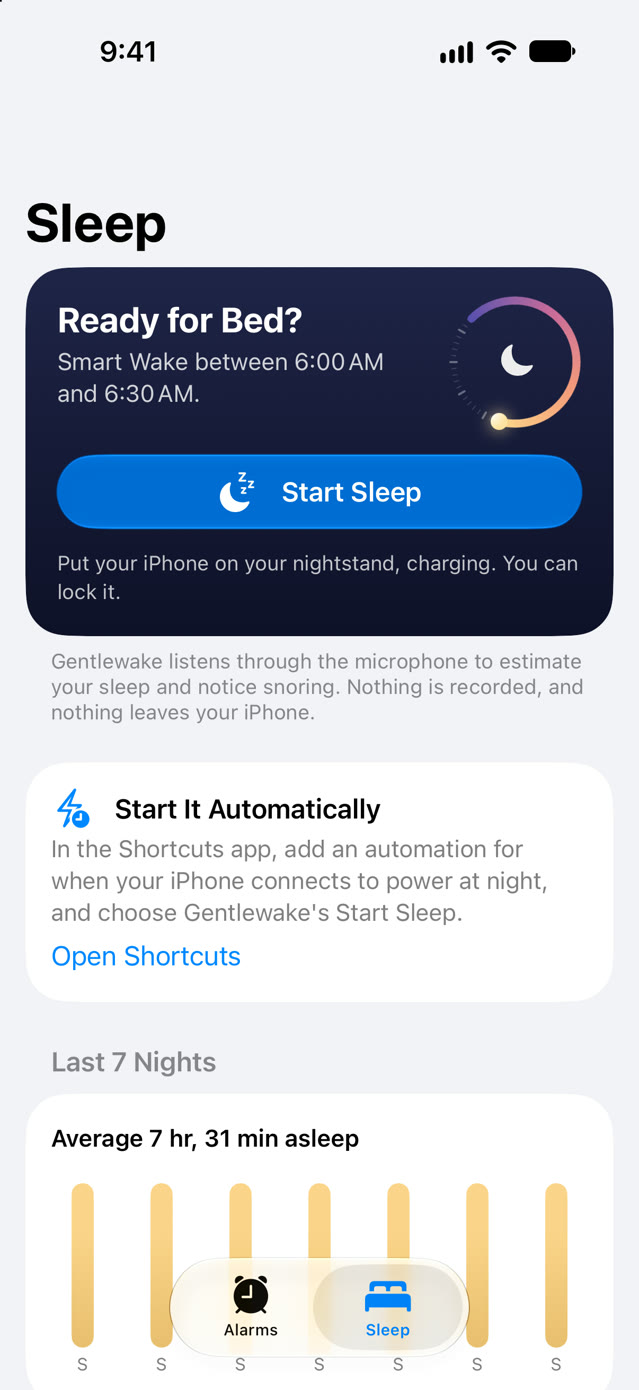
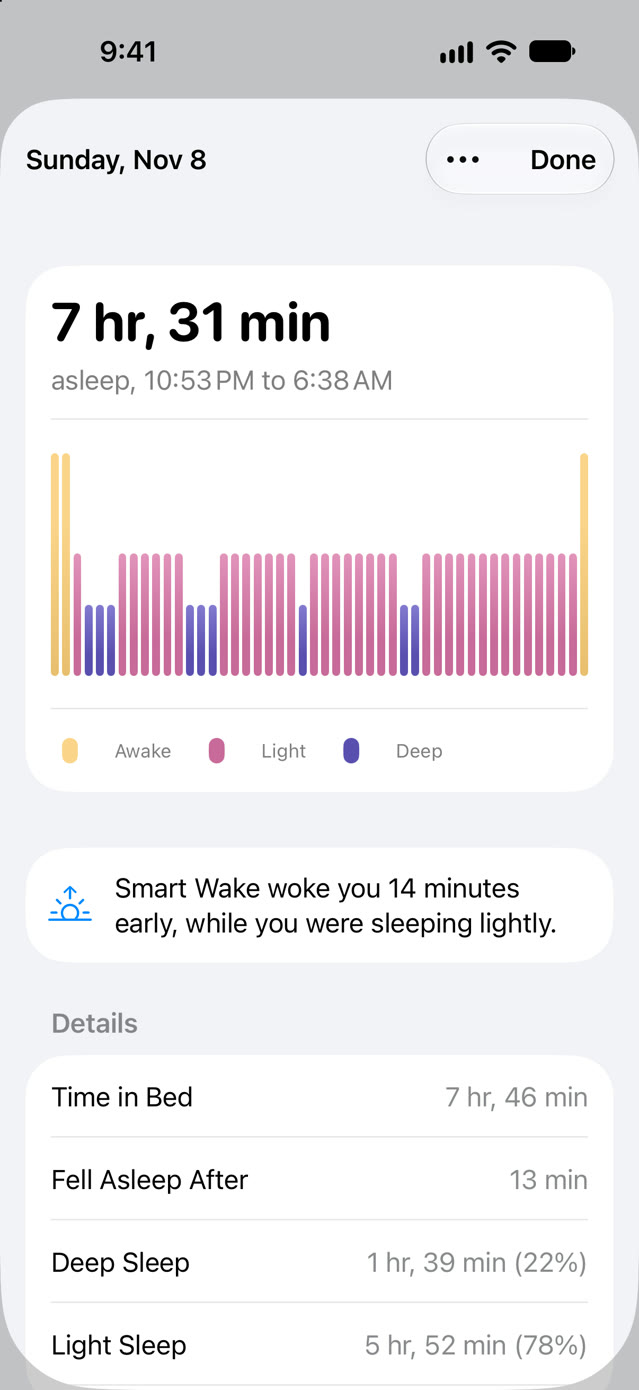
Screenshots taken on iOS 27, with sample alarms and nights. Alarm sounds recorded by BigSoundBank.
Also in Gentlewake
- Morning summary. Time asleep, how long it took to fall asleep, deep and light sleep, how often you woke, and whether you snored or talked in your sleep.
- Apple Watch. Turn on Apple Watch sleep, and Gentlewake shows the stages your watch records in Apple Health, REM included. It can also save your nights to Apple Health.
- Still awake? A few minutes after your alarm, Gentlewake can check on you. If you're up and about, it stays quiet. If you've dozed off again, the alarm rings again.
- Bedtime reminder. A nudge at the time you pick, with a button that starts sleep tracking.
- Widgets and Siri. Your next alarm and last night on the Home Screen and Lock Screen, Start Sleep in Control Center, and “Start sleep in Gentlewake” or “Set an alarm in Gentlewake” with Siri.
- Saved in iCloud. Your alarms and settings come back on a new iPhone. Your nights stay on your iPhone and in its backups.
- Your own sounds. Add any sound file from the Files app. Gentlewake can start it softly and build it up, like its own sounds.
- Dark mode. The whole app follows your iPhone's light or dark appearance.
Setup
- Open Gentlewake. The setup guide asks when you want to wake up and where your iPhone is at night, then sets your first alarm.
- When iPhone asks, tap Allow so Gentlewake can ring your alarms.
- At bedtime, tap Start Sleep on the Sleep tab and leave your iPhone charging by your bed. You can lock it.
- To start sleep tracking automatically, add a Shortcuts automation for when your iPhone connects to power at night, and choose Gentlewake's Start Sleep.
Good to know
- Gentlewake is for iPhone, on iOS 26 or later. There's no Apple Watch app yet; Apple Watch sleep comes in through Apple Health.
- Smart Wake works on nights you track your sleep. On other nights, your alarm rings at its time.
- Sleep stages are estimated from how you sound while you sleep, or come from your Apple Watch. They're a guide, not medical advice.
- Alarms play Gentlewake's sounds, the standard alarm sound, or a sound file you add (Gentlewake uses its first 30 seconds). Songs from Apple Music can't be used, because they're copy-protected.
Pricing
Free with every feature, for 2 alarms and your last 7 nights of sleep. Gentlewake Unlimited is $4.99, once, for as many alarms as you want and your full sleep history, and Family Sharing is included. No subscription, no ads.
Support
- Alarms not ringing? Open the Settings app, tap Apps → Gentlewake, and turn on Alarms.
- Sleep tracking stopped during the night? Keep your iPhone charging, and check that Gentlewake is allowed to use the microphone in the Settings app.
- Want to stop the math problems? Tap the alarm, choose Mission, and pick None.
- Unlock missing on a new iPhone? Tap Restore Purchase in Gentlewake's Settings.
Anything else: support@voussoirsoftware.com, or Settings → Email Support in the app.