 Mac · macOS 14 or later
Works inside Apple Mail
Coming to the Mac App Store
Mac · macOS 14 or later
Works inside Apple Mail
Coming to the Mac App Store
Mail Spam Rules
Mail rules that actually work. Spam that comes from a different address every time is still from the same sender name. Make one rule for that name, and every message goes straight to Junk or Trash.
- Price
- $9.99 once, Family Sharing
- Runs
- On your Mac
- Data collected
- None
How it works
- Match what doesn't change. The sender's name, a keyword anywhere in the address or domain, a phrase in the subject or body, or any header.
- Act on it. Mark as read, move to Trash or Junk, archive, flag or highlight, in any combination.
- See through disguises. Look-alike letters from other alphabets, invisible characters and fancy Unicode fonts still match your rule.
- Clean up what's already there. Run your rules on messages already in your Inbox or watched folders. You see every match first and choose which to apply.
- Test first. Paste a message and see which rules match before anything changes.
- Any folder. Your rules cover the Inbox, plus any folders you choose to watch, like the ones Gmail or iCloud file messages into.
- Safe senders. Addresses and domains that no rule will ever touch.
- Activity. A record of every action your rules took, so nothing goes missing without a trace.
- Private. Everything runs on your Mac. Nothing is sent to us.
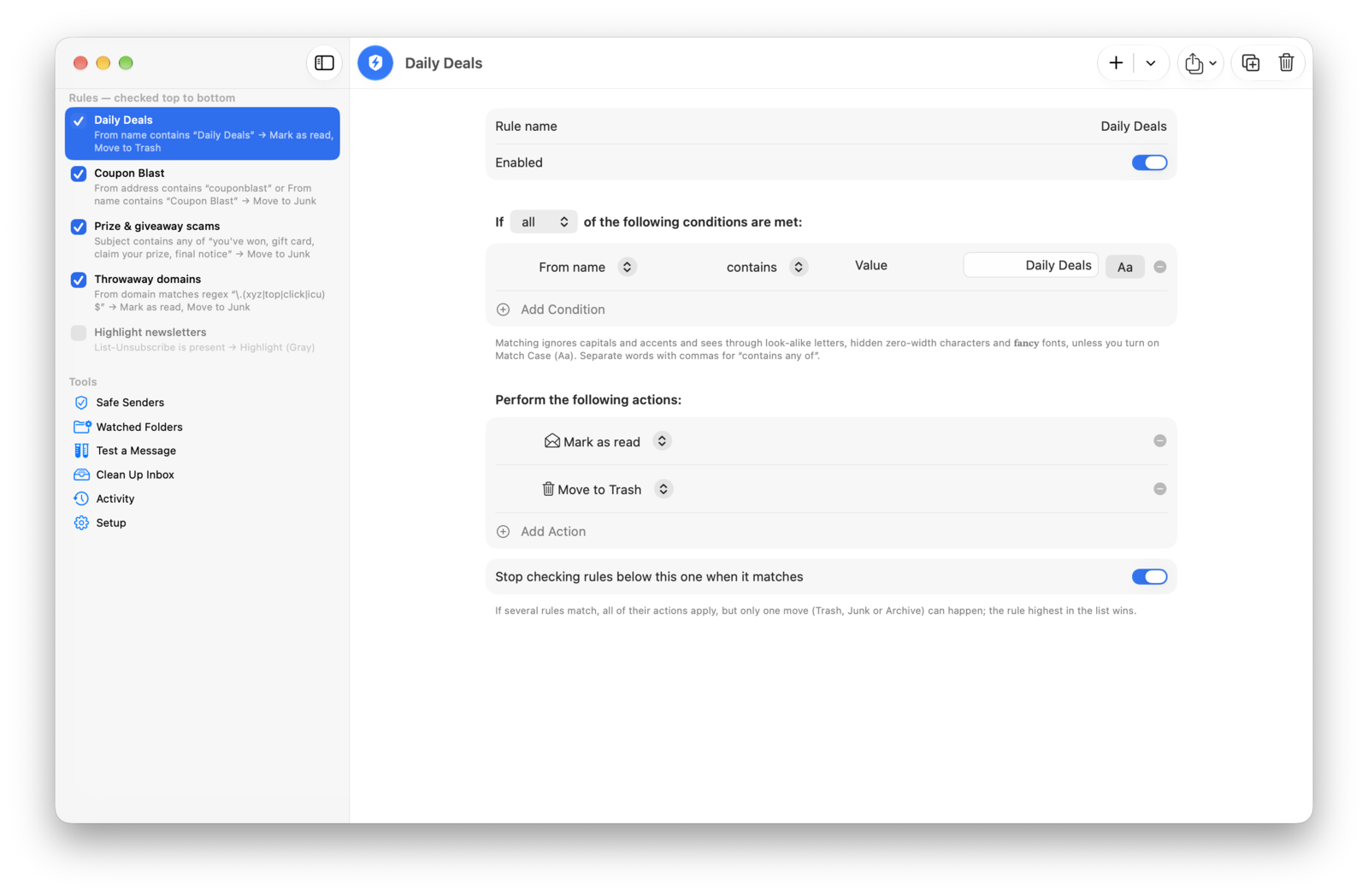
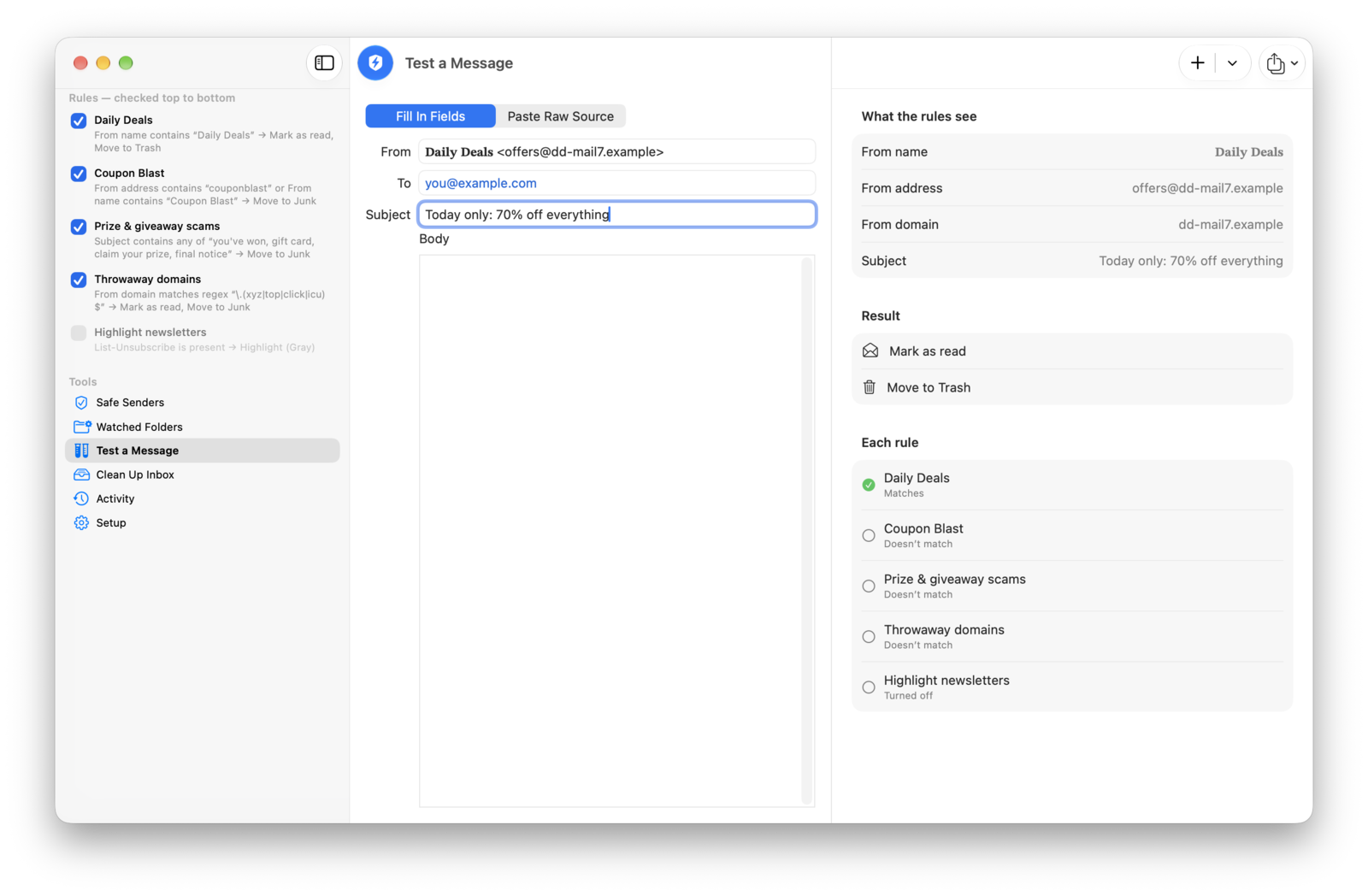
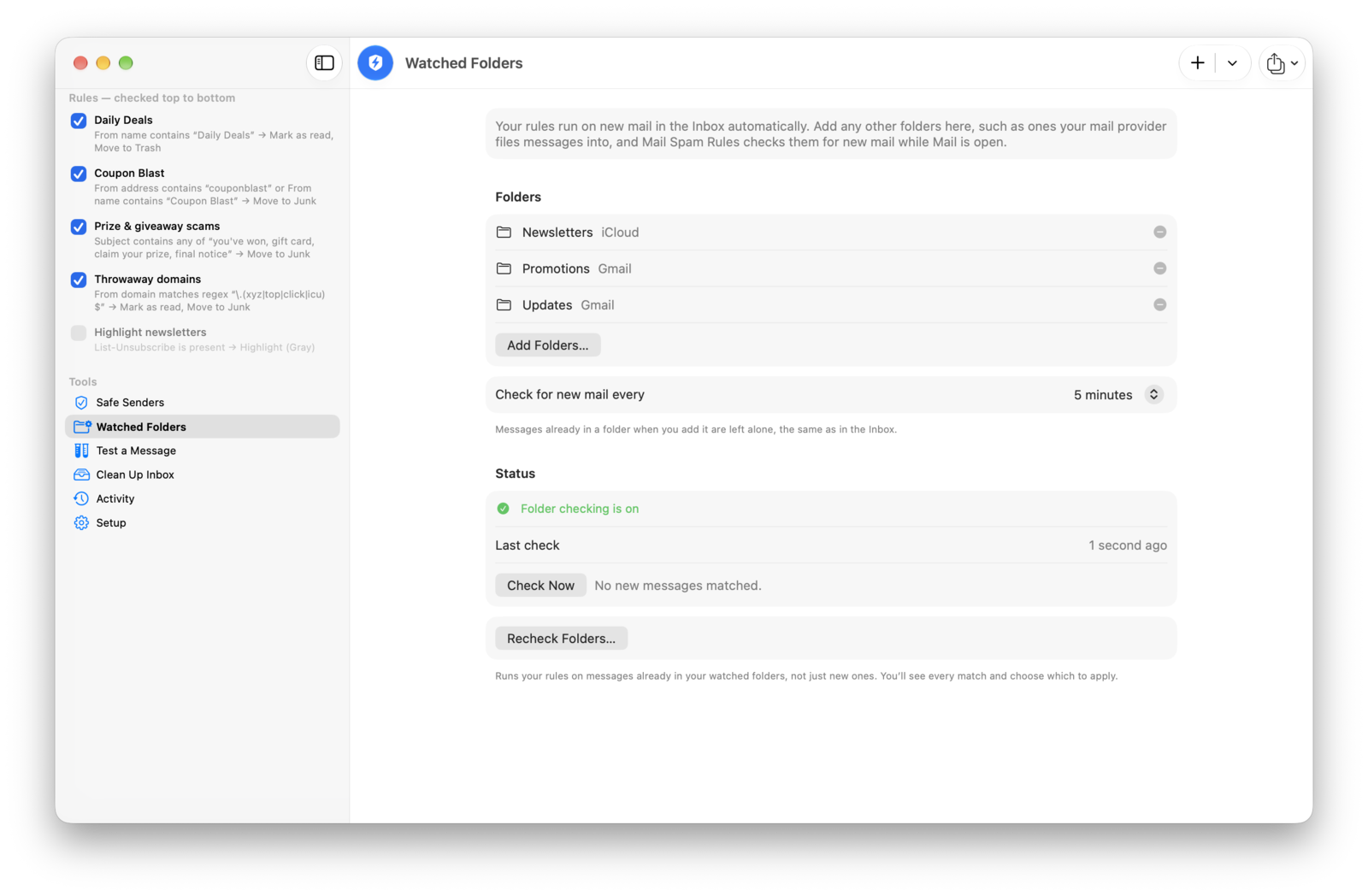
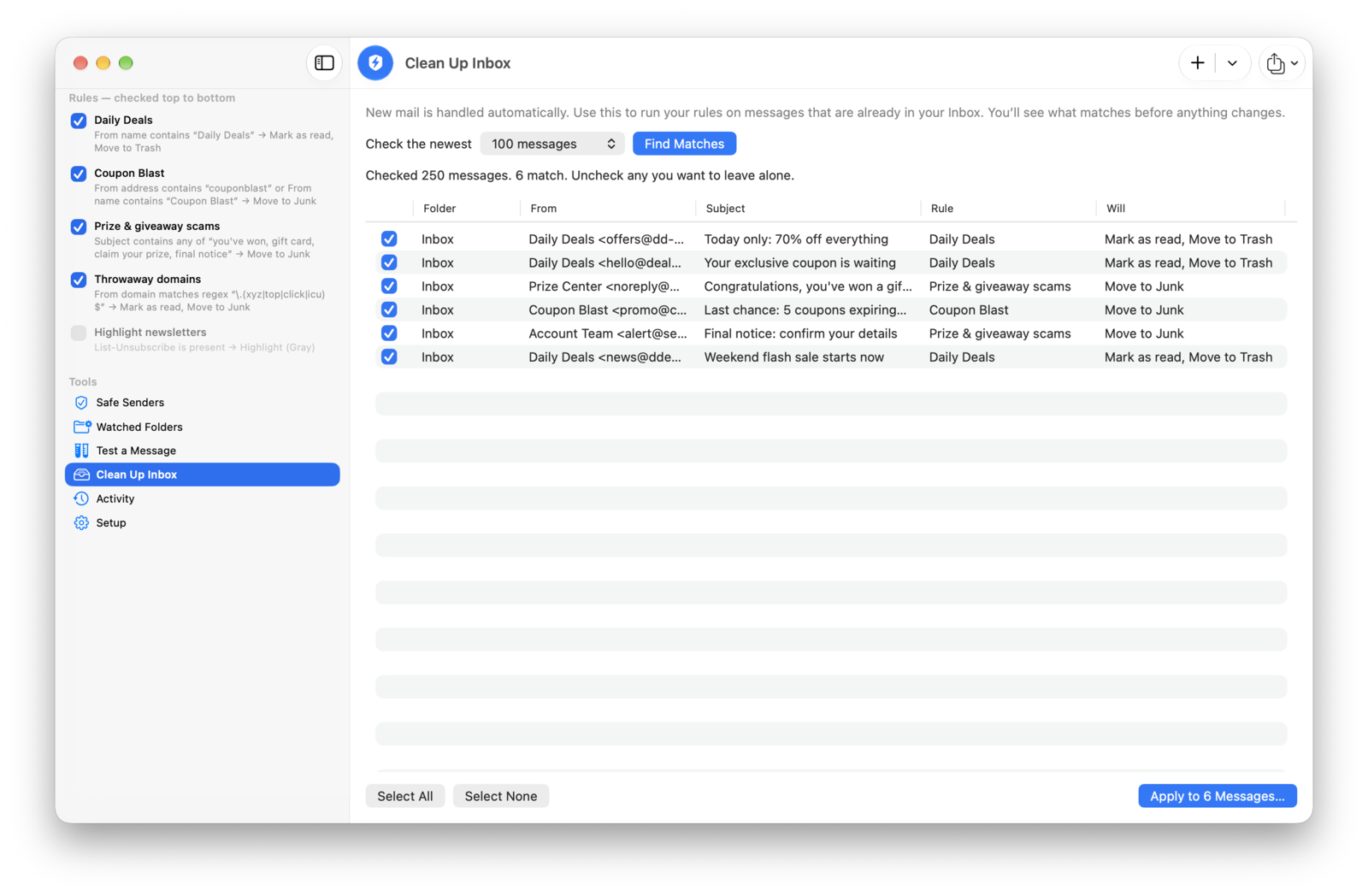
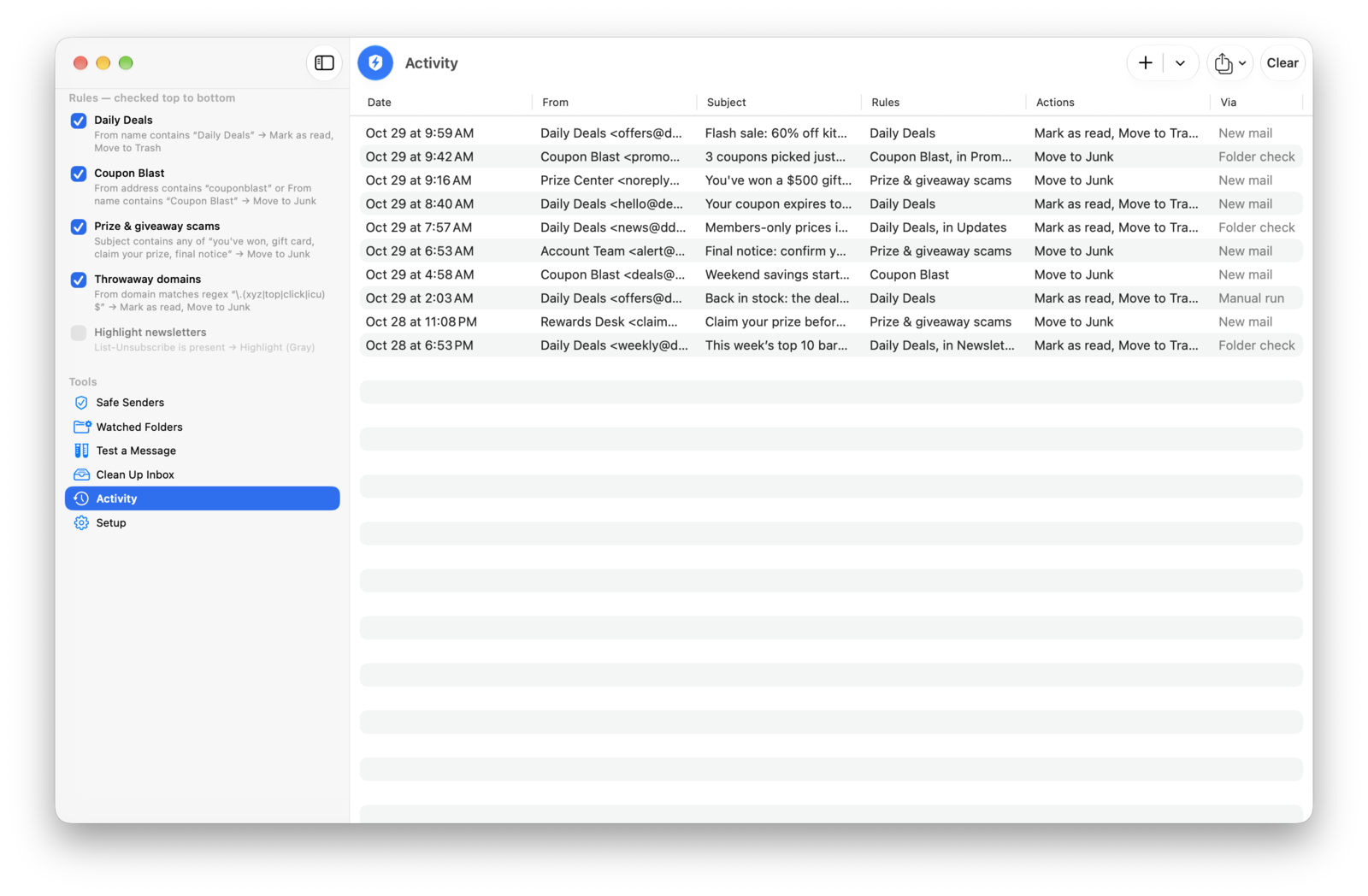
Screenshots taken on macOS 27.
What a rule can check
Look at
- From name, address or domain
- Subject
- To, Cc, Reply-To or any recipient
- Any header, such as List-Unsubscribe
- The message body
Compare with
- contains, does not contain
- is, is not, begins with, ends with
- contains any of a list of words
- is present, is missing
- regular expressions, for advanced users
A rule can require all of its conditions or just one of them. Rules run top to bottom, and any rule can stop the ones below it. Templates for throwaway domains, prize scams, fake brand senders and newsletters get you started.
Good to know
- Rules act on new messages in your Inbox as they arrive. Watched folders are checked every few minutes while Mail is open.
- Messages already in your Inbox or folders are only changed when you run Clean Up Inbox or Recheck Folders, and only the ones you choose.
- Move to Trash keeps messages recoverable. Apple doesn't let Mail extensions erase messages.
- Moves go to Trash, Junk or Archive. Apple doesn't let Mail extensions move messages to other mailboxes.
- Works with every email account you've added to Mail on your Mac, such as iCloud, Gmail or Yahoo.
- Mac only.
Setup
- Open Mail Spam Rules and add a rule, or pick a template from the + menu.
- In Mail, choose Mail → Settings → Extensions.
- Check Mail Spam Rules.
- Optional: to cover other folders, add them under Watched Folders, then click OK when macOS asks to let Mail Spam Rules control Mail.
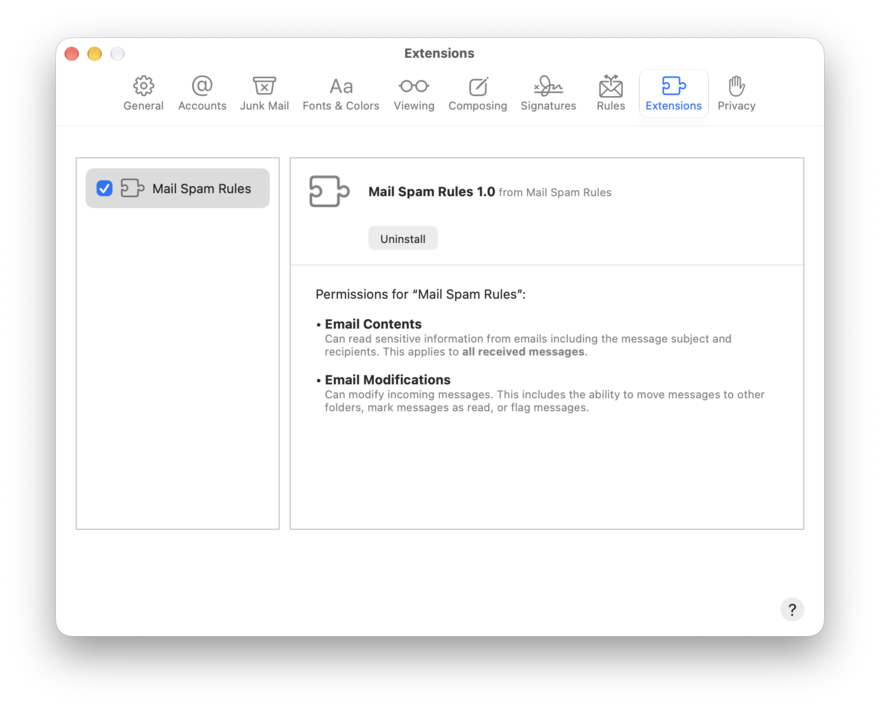
That's it. You can quit Mail Spam Rules, and Mail will keep using your rules.
Pricing
$9.99, once. No subscription, no in-app purchases. Family Sharing included, so everyone in your family group, up to six people, can use it on their own Macs at no extra cost.
Support
- Nothing is happening? Check Setup: Mail Spam Rules must be checked in Mail's Extensions settings.
- A message you wanted was moved? Open Activity in the app to see which rule caught it, then add the sender to Safe Senders. Deleted messages are in Trash.
- Not sure a rule is right? Use Test a Message in the app before real mail arrives.
Anything else: support@voussoirsoftware.com